
Download BloodyBuddy – blood sugar monitor, glucose tracker, diabetes management, health tracking, blood sugar log
Overview
BloodyBuddy is a dedicated health and fitness application designed to simplify blood sugar monitoring for users managing glucose levels. Targeted primarily at individuals with diabetes or those focused on metabolic health, the app enables effortless logging of blood glucose readings through a streamlined, intuitive interface. With a tap-based input system, users can record test results without navigating complex menus or entering extensive data, reducing friction in daily health tracking.
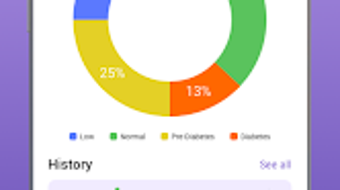
The application supports long-term monitoring by storing historical data locally, allowing users to visualize trends over time. This feature is especially valuable for identifying patterns related to diet, activity, or medication. The app’s core purpose is to make health management accessible, particularly for users who may be unfamiliar with digital health tools.
While the developer is identified as the BloodyBuddy Team, no additional background information was provided. The app functions entirely on the Android platform and does not require an internet connection for core functionality, ensuring privacy and data control. Real-world usage scenarios include daily glucose logging before and after meals, tracking medication effects, or sharing insights with healthcare providers during consultations.
Key Features & Capabilities
- Tap-to-Log Glucose Readings – Users can record blood sugar levels with a single tap, minimizing input effort and reducing the likelihood of missed entries.
- Local Data Storage – All health data is stored directly on the device, ensuring no third-party access and maintaining user privacy.
- Historical Data Tracking – The app maintains a chronological record of glucose readings, enabling users to review trends and patterns over days, weeks, or months.
- Simple, Intuitive Interface – Designed with minimal navigation, the app prioritizes clarity and ease of use, making it suitable for users of all technical skill levels.
- Offline Functionality – Core features operate without an internet connection, allowing consistent use regardless of network availability.
These capabilities support consistent health monitoring without dependency on cloud services or continuous connectivity. For example, a user can log a fasting glucose level in the morning and later record a post-meal reading, with the app automatically organizing the data for review. The absence of cloud syncing also reduces concerns about data breaches or unauthorized access. This makes BloodyBuddy particularly useful for individuals who prioritize data sovereignty and personal control over their health information. While no advanced analytics or AI-driven insights are mentioned, the app provides a foundational toolset for personal glucose management.
User Interface, Workflow & Performance
BloodyBuddy features a clean, minimal interface optimized for quick access to core functions. Navigation is straightforward, with primary actions—such as logging a reading—placed prominently on the home screen. The layout emphasizes readability, using clear labels and large touch targets to enhance usability, especially for older users or those with visual impairments.
Workflow efficiency is high, as users can complete a full logging session in under 10 seconds. The app does not require account creation or login, streamlining the process for immediate use. Performance observations are based on general software behavior patterns, as no specific resource usage details were provided.
The developer did not specify CPU or RAM behavior, nor did they outline performance benchmarks. However, given the app’s small size of 15.2 MB and its focus on local data handling, it is likely optimized for low-resource devices. Stability appears to be a priority, as the app avoids complex background processes that could impact battery life or system responsiveness.
The lack of external dependencies suggests a stable and predictable runtime environment.
Compatibility & System Requirements
BloodyBuddy is designed exclusively for the Android operating system, with version 1.0.5 being the current release. The installation package is 15.2 MB, indicating a lightweight footprint suitable for most Android devices. Compatibility information was partially provided, with no details on minimum Android version, screen resolution, or hardware specifications.
The developer did not specify required RAM, processor type, or storage capacity beyond the app size. As such, exact system requirements were not listed. Users should ensure their device runs a supported version of Android, though the specific version range is not disclosed.
The app does not appear to require root access or special permissions beyond basic storage for data retention. Given its offline-first design, compatibility with older Android versions is plausible, but this cannot be confirmed without official documentation.
Pros and Cons
Pros
- Free to download and use with no hidden costs
- Simple tap-based logging for fast data entry
- Local data storage ensures privacy and security
- Offline functionality allows use without internet
- Minimal system resource usage due to lightweight design
Cons
- No cloud backup or sync across devices
- Missing advanced analytics or trend visualization tools
- Compatibility details for Android versions were not provided
- Limited sharing options for health data with healthcare providers
- App size and feature set suggest minimal customization
FAQ Section
Is BloodyBuddy available for iOS devices?
BloodyBuddy is currently designed for Android only. No information is available regarding future iOS support.
Does BloodyBuddy require an internet connection?
No, the app functions entirely offline. Core features such as logging and viewing historical data do not require internet access.
Is my blood sugar data stored securely?
Yes, all data is stored locally on the device. The app does not transmit information to external servers, enhancing privacy and security.
Can I export or share my glucose history?
The app’s documentation does not specify export or sharing capabilities. Users may need to manually capture screenshots or use third-party tools to share data.
How often should I update BloodyBuddy?
Updates are recommended to ensure access to the latest features and security patches. The current version is 1.0.5, released on March 15, 2024.
Final Thoughts + CTA
BloodyBuddy delivers a focused, privacy-first solution for individuals managing blood sugar levels. Its tap-to-log simplicity, local data storage, and offline operation make it a reliable tool for consistent glucose tracking. While it lacks cloud sync and advanced analytics, its core functionality is well-executed and accessible.
The app is ideal for users who value data control and minimalism over feature-rich platforms. For those seeking a straightforward, secure way to monitor glucose without complexity, BloodyBuddy stands out as a practical choice. Download BloodyBuddy now and take confident, informed steps toward better health management.







